Any track → its Discogs release, in one tap.
Share a song from YouTube Music or Apple Music. Pick the pressing you want. The Discogs app opens straight on the release page.
 YouTube Music ·
 Apple Music
 Five taps, start to finish.
Tap a step to see the screen it lands on.
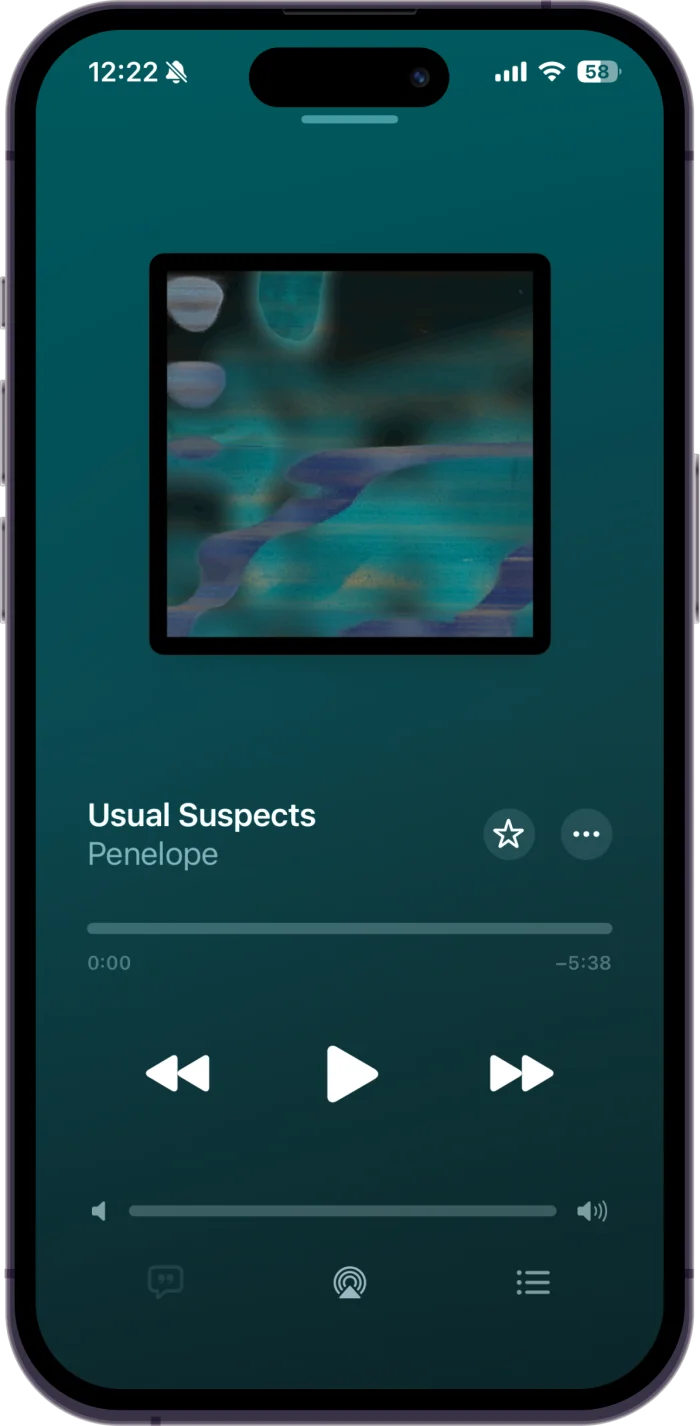
Play a track
Open the song in Apple Music or YouTube Music. Nothing to set up first.
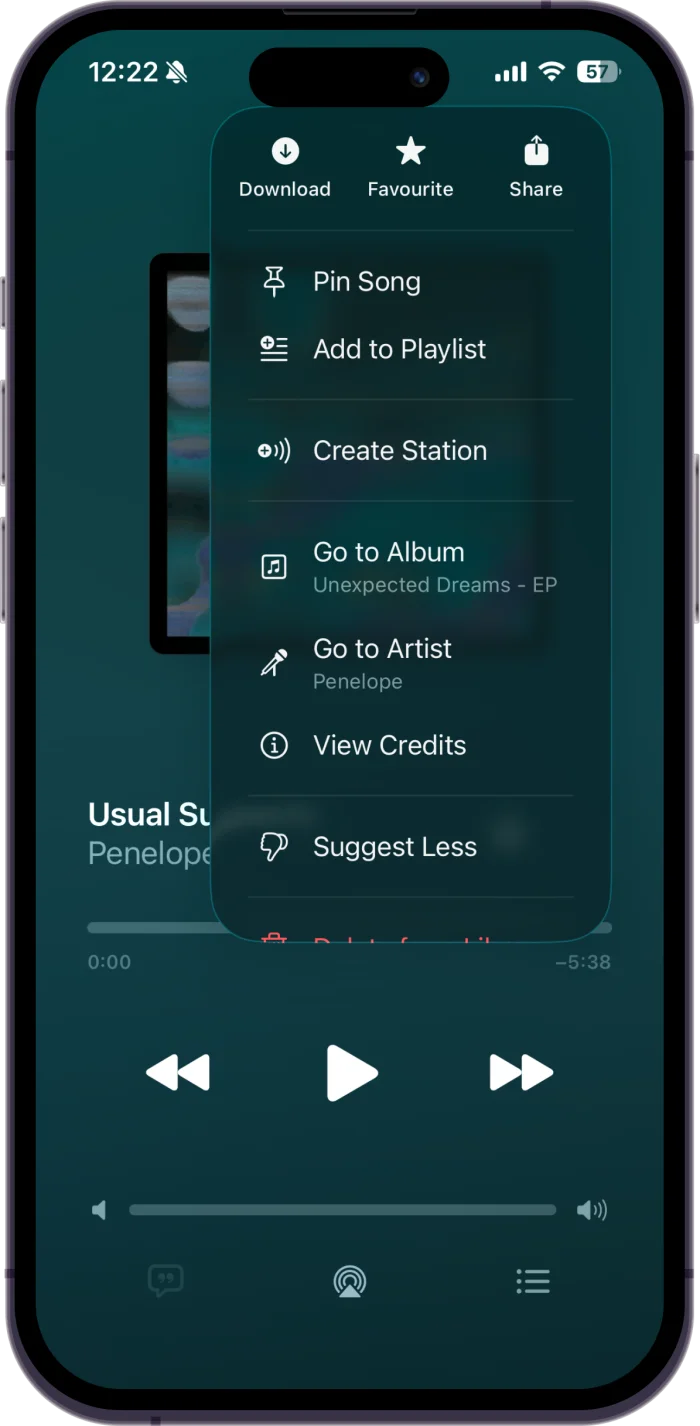
Open the menu
On the now-playing screen, tap the … button, then Share.
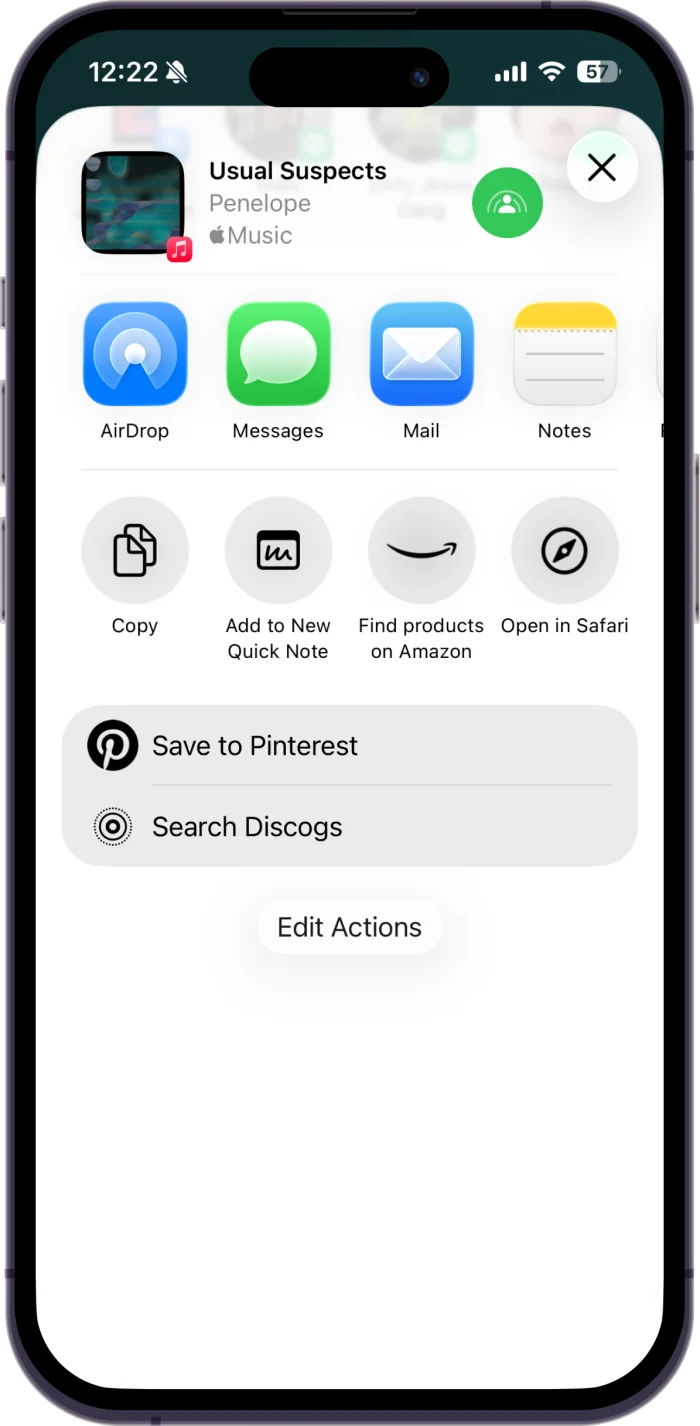
Tap Find on Discogs
The Shortcut sits in the share sheet, just below the app row.
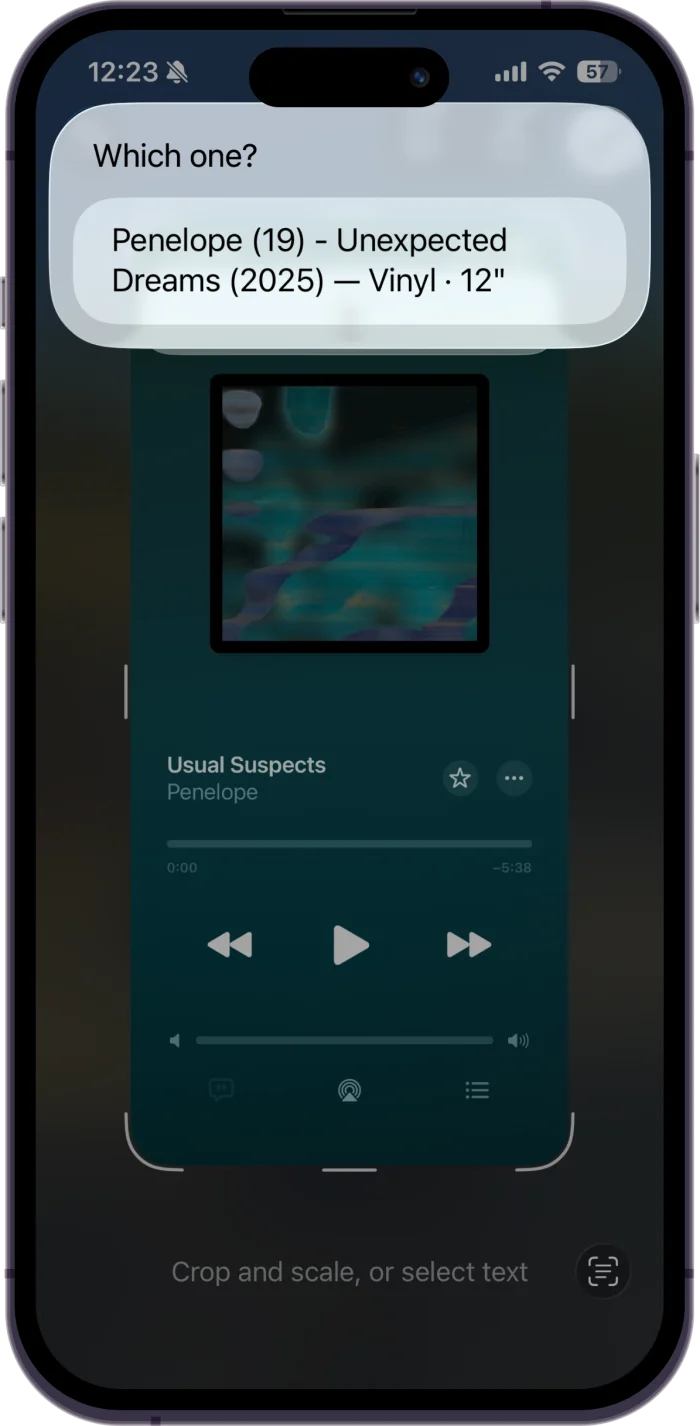
Pick the pressing
Matching Discogs releases come back with artist, year, format and size.
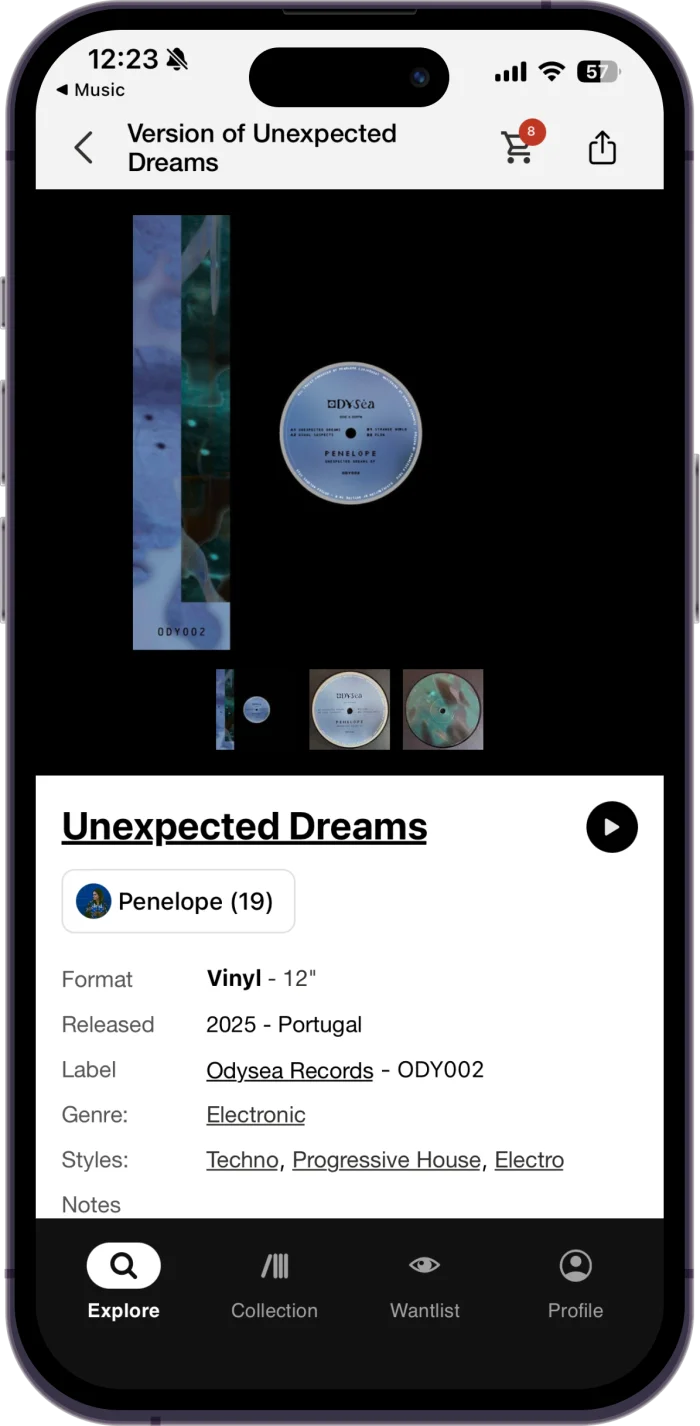
Land on the release
Discogs opens straight on that release — tracklist, label, marketplace.
Install in 30 seconds
The Shortcut is hosted on iCloud. iOS 15+ required.
Open the link below on your iPhone (iOS Safari, not desktop).
Tap Add Shortcut at the bottom of the Shortcuts preview.
In YouTube Music or Apple Music, tap Share on any song → scroll the share sheet → tap Find on Discogs.
First run may take a second — the Shortcut resolves the track title via oEmbed / iTunes, then queries the Discogs public API. Both are unauthenticated (no login needed).
On a computer? Scan to open this on your iPhone.